
100% up to $1,500 + 100 FS
Welcome Package
CrownGreen Casino App
The CrownGreen Casino app experience is the primary access route for Canadian players using the platform operated by Royal Flush Ventures Limited under licence ALSI-202411028-FI1, issued by the Anjouan Gaming Board. The platform launched in 2025 and serves Canadian accounts through a browser-based interface, with game categories spanning slots, live tables, crash games and sports betting accessible from a single account on any modern mobile device.
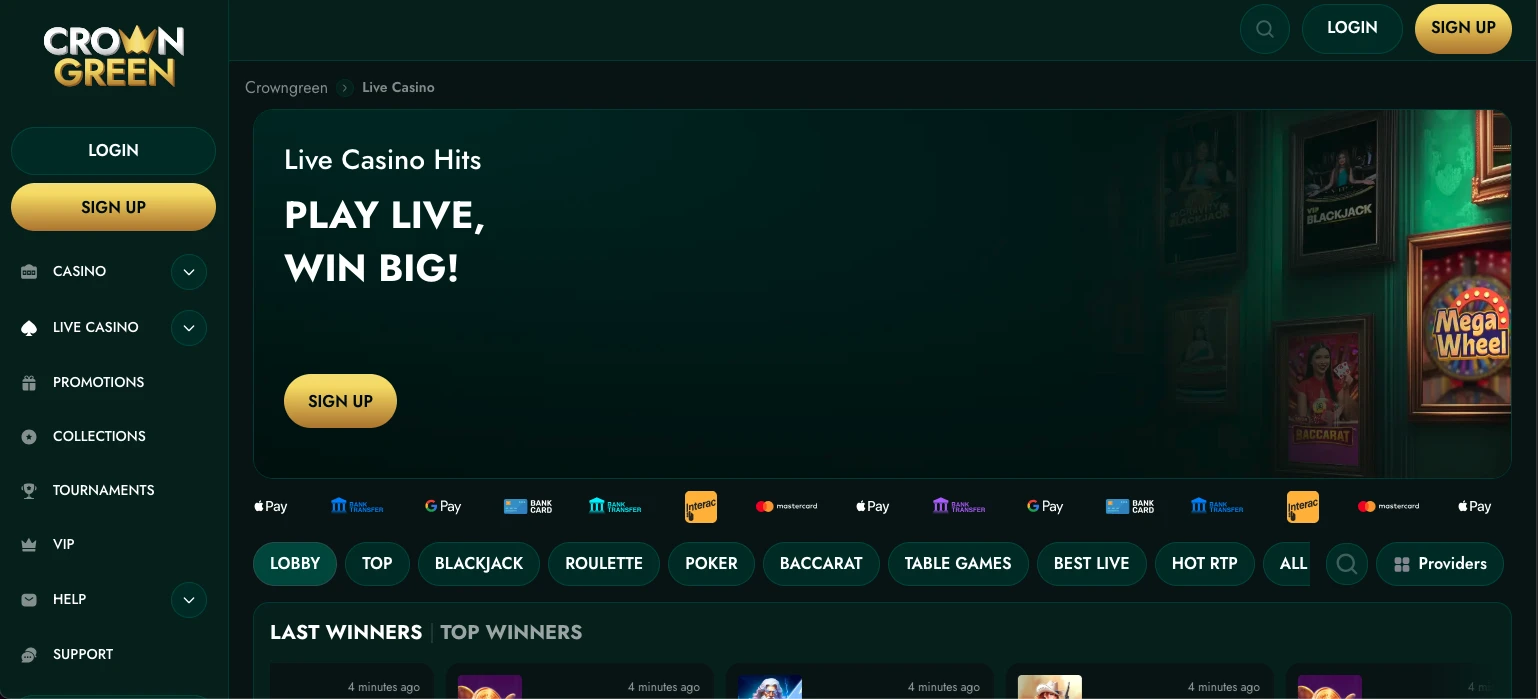
Playing CrownGreen From a Phone
Two questions come up immediately when players assess any mobile gambling platform: whether a separate download is required, and whether a second account is needed. For the casino app, the answers are straightforward on both counts.
| Question | Answer |
|---|---|
| Separate download required? | No — browser-based access |
| Separate account required? | No — one account covers all sections |
The platform’s Terms and Conditions, clause 1.1, reference a mobile app, and secondary evidence describes the setup as browser-based with app-style install messaging — consistent with a progressive web application rather than a native store download. The distinction matters for players on restricted networks or corporate devices, where store-installed apps are sometimes blocked. For a broad overview of what the platform covers beyond mobile access, the online Crowngreen casino overview documents the full product scope. The CrownGreen Casino mobile app experience runs across iOS and Android browsers without requiring an operating system version upgrade in most cases, which is a practical advantage for players on older hardware.
One concrete strength here is payment breadth: Interac, Visa, Mastercard, Apple Pay, Google Pay, Skrill, Neteller and Paysafecard are all listed as deposit methods, with Interac specifically relevant for Canadian players preferring domestic e-transfer rails.
Setting Up a Home Screen Icon
Adding a shortcut reduces the steps needed to reach the platform after the first visit — the process takes four moves from a standard mobile browser.
- Open the CrownGreen site in a mobile browser (Safari on iOS, Chrome on Android)
- Tap the browser’s share or menu icon
- Select “Add to Home Screen” (iOS) or “Add to Home screen” (Android)
- Confirm the name and tap the resulting icon to launch the interface
The CrownGreen app shortcut created this way behaves similarly to an installed application: it opens without the browser’s address bar visible and retains session cookies, meaning login credentials persist between visits in most cases. Android users searching for a more structured installation path should note that the option to download CrownGreen app for android via a direct APK is not confirmed in available data — the home-screen shortcut method is the documented approach. For technical questions about the setup process, the support Crowngreen questions answers section covers account and device-related topics. The shortcut is removed the same way as any other home-screen icon if a player later decides to clear it.
Sections of the Platform Accessible on Mobile
The combined account structure is one of the platform’s measurable strengths: a single registered account exposes all active sections on a small screen.
- Casino lobby — slots, Megaways, Instant Win, Jackpot Games, Hold and Win, progressive jackpots
- Live tables — blackjack, baccarat, poker, roulette from providers including Pragmatic Play, Evolution and Ezugi
- Promotions — deposit match offers, the Game of the Month and the Monday Kickstart promotion
- VIP area — points accumulation, VIP Manor fast-track status, and VIP-tagged game variants
The CrownGreen Casino app interface exposes game filters for slots, live casino, instant games and sportsbook directly from the lobby, which aligns with standard mobile UX priorities for this type of platform. Information on active bonus structures, including the multi-deposit package totalling up to $9,000 and 250 free spins, is accessible through the top Crowngreen bonus system page. Navigating to the sports betting section from the same account requires no separate login — a structural efficiency that suits players who move between casino sessions and live sports markets.
Deposit and Withdrawal Thresholds by Device
The minimum deposit and withdrawal figures apply regardless of which device or browser a player uses — they are account-level rules, not device-specific ones.
| Direction | Minimum |
|---|---|
| Deposit | $30 |
| Withdrawal | $60 |
The withdrawal minimum of $60 is double the deposit floor, which is a material limitation for players managing small balances. Daily withdrawal ceiling is $15,000, the weekly limit is $30,000, and the monthly ceiling reaches $75,000. Pending periods before funds are released extend from 0 to 7 days — a span wide enough to affect planning significantly. After approval, e-wallets typically process within 0–24 hours; cards take 3–5 business days; bank transfers require 3–7 business days. The CrownGreen platform accepts CAD, EUR and USD as account currencies, though all amounts on this page use the dollar symbol consistent with the Canadian market.
A Pre-Funding Checklist for Mobile Players
Following a structured routine before the first deposit reduces the likelihood of friction at the withdrawal stage — four steps cover the key checks.
- Withdrawal method confirmed: verify that the intended withdrawal method appears in the cashier before depositing, particularly relevant for Apple Pay and Google Pay users
- Limits configured: deposit, loss, wager and session limits are accessible in account settings and should be set before play begins
- KYC documents uploaded: identity verification implied by the registration and responsible gaming policy should be completed early; document mismatches delay first withdrawals
- Terms reviewed: bonus terms for the first deposit offer — including the $1,500 cap and 100 free spins — are accessible before account funding
The CrownGreen app interface surfaces the cashier shortcut from the main lobby, which makes accessing the deposit screen practical on a small screen. Players using the High Roller option, which carries a 125% match up to $4,500 plus 125 free spins, should confirm eligible games and any staking restrictions before that deposit is processed. One limit worth noting: wagering requirement details are not fully disclosed in available data, so players should read the current Terms and Conditions directly before committing funds.
Account Security on a Mobile Device
Device locks, private credentials and the 18+ age requirement form the three compliance pillars that apply specifically to mobile use. The operator’s responsible gaming policy states that login credentials must not be shared, and accounts must not be used by anyone other than the registered holder — a rule with particular relevance when a device is shared within a household. Players under 18 are excluded from the platform regardless of device type. The platform is operated by Royal Flush Ventures Limited under ALSI-202411028-FI1, and the legal documents available include a Terms and Conditions, Privacy Policy, AML Policy and Responsible Gaming policy — all accessible from the mobile interface.
Enabling the device’s own screen lock adds a practical layer before the casino’s account password is reached. The CrownGreen app install process does not require a phone number by default based on available registration data, though KYC verification tied to identity documents is implied before first withdrawal. Live chat support runs 24/7, which means account security concerns can be escalated at any hour without waiting for a business-hours window.
Frequently Asked Questions
Do I need a separate account for the app?
No separate account is required. The CrownGreen Casino app operates on the same account credentials used for the desktop version, and all sections — casino, live tables, sports betting, VIP and promotions — are accessible from a single login. Creating a second account is prohibited under the operator’s Terms and Conditions and could trigger a verification flag on withdrawal.
What is the mobile minimum deposit?
The minimum deposit is $30, applied at the account level regardless of device. The CrownGreen Casino mobile app cashier lists the same thresholds as the desktop interface. The minimum withdrawal is $60, which is a separate and higher floor that applies at the point of requesting funds back.
Can I reach the VIP area on mobile?
The VIP section is accessible through the mobile interface under the same account. A single deposit of $1,500 activates VIP Manor status on a fast-track basis. The points accumulation system is functional on mobile, and VIP-tagged game variants — including VIP Blackjack and VIP Baccarat NC — appear within the standard lobby filters.
How do I add the icon on iPhone?
On an iPhone, the process runs through Safari: open the site, tap the share icon at the bottom of the screen, scroll to “Add to Home Screen”, confirm the label and tap the icon on the home screen to launch the interface. The resulting shortcut functions like the CrownGreen app on iOS without requiring an App Store installation. Third-party browsers on iPhone may not support the home-screen add function in the same way.
Should I verify my identity before depositing?
Completing identity verification before the first deposit reduces delays when a withdrawal is requested. KYC requirements are implied by the registration process and the Responsible Gaming policy. Document mismatches — between the name registered and the name on identity documents — are a documented cause of first-withdrawal delays. Uploading documents from the mobile account profile early, if the interface supports direct upload, is the approach consistent with the platform’s pre-deposit checklist guidance.